English Espanol Russian
Facebook
X
Youtube
LinkedIn
Pinterest
Suqian Royal Advertising Tek Co.,Ltd
info@royaladtek.com
  • Home
  • Company
  • Products
    • LED Mesh Screen
    • Transparent LED Screen
    • Drone Flying LED Screen
  • News & Blog
  • Download
  • FAQ
    • What is A Drone Flying LED Mesh Screen?
  • Contact
Get a Quote

Get a Quote

Share your requirements — we reply within 24 hours.

  1. Home
  2. Products
  3. Drone Flying LED Screen
  4. P25 Drone Flying LED Screen Mesh
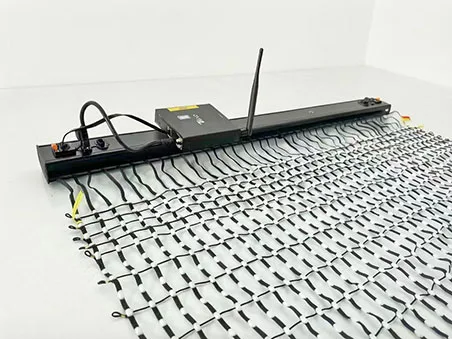
  • P25 Drone Flying LED Screen Mesh - Image 1

P25 Drone Flying LED Screen Mesh

  • Product Item: P25 Fabric Net
  • Grayscale: 16 bit
  • Brightness: 2800nits
  • Voltage: DC 12V
  • Ingress Protection: IP65

Product description: P25 drone flying LED screen mesh, ideal for aerial advertising, events, and brand promotions. Merges drone mobility with immersive LED visuals.
Tags
flying led screen flying led display drone display drone light show aerial advertising solution Drone LED Advertising Banners drone led mesh flexible led curtain
Online Inquiry Send Email

Description

Royal AD Tek · Flying LED Mesh Display

P25 Drone Flying LED Screen

Royal AD Tek’s P25 drone flying LED screen is a flexible, open-mesh display designed for aerial advertising, drone light shows and outdoor events. The 25 mm pixel pitch provides 1,600 pixels per square metre. Choose 8-bit or 16-bit grayscale, a project-specific screen size and a battery configuration matched to the planned flight.

  • 25 mm pixel pitch
  • 8-bit or 16-bit grayscale
  • IP65
  • 40% measured transparency
  • Custom sizes

Overview

P25 flying LED mesh screen for aerial displays

The flexible mesh creates a large video surface while allowing airflow through the screen. Select the pixel pitch, dimensions and power setup according to the viewing distance, drone payload and target runtime for your project.

25 mm pitch for large-format viewing

P25 provides 1,600 dots/m² and is designed for aerial content viewed from event-scale distances.

8-bit or 16-bit grayscale

Both options have the same power consumption. 16-bit is recommended when smoother gradients and tonal transitions matter in video playback.

Flexible battery configurations

Choose the built-in 21700 battery pack or an external 18650 battery setup. Final runtime depends on screen size, battery quantity, content and brightness setting.

Updated Installation Kit

Simplified connections for faster setup

The upgraded design removes the need to connect LED strips one by one to separate sub-controllers, reducing individual wiring steps during screen assembly.

What the updated kit changes

  • LED strips do not need to be wired individually to separate sub-controllers.
  • Fewer individual connections help streamline installation and pre-show checks.
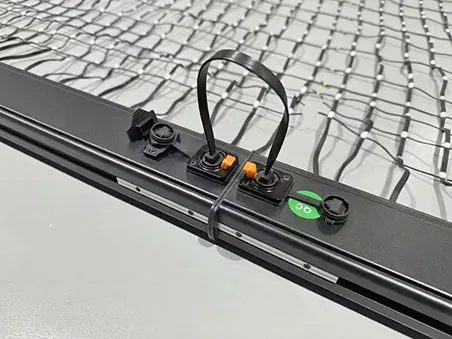
  • The organized connection layout supports easier inspection and handling.
  • Kit components are configured for the selected screen size and project requirements.

Follow the supplied installation instructions and the project’s approved payload, suspension and flight-safety plan.

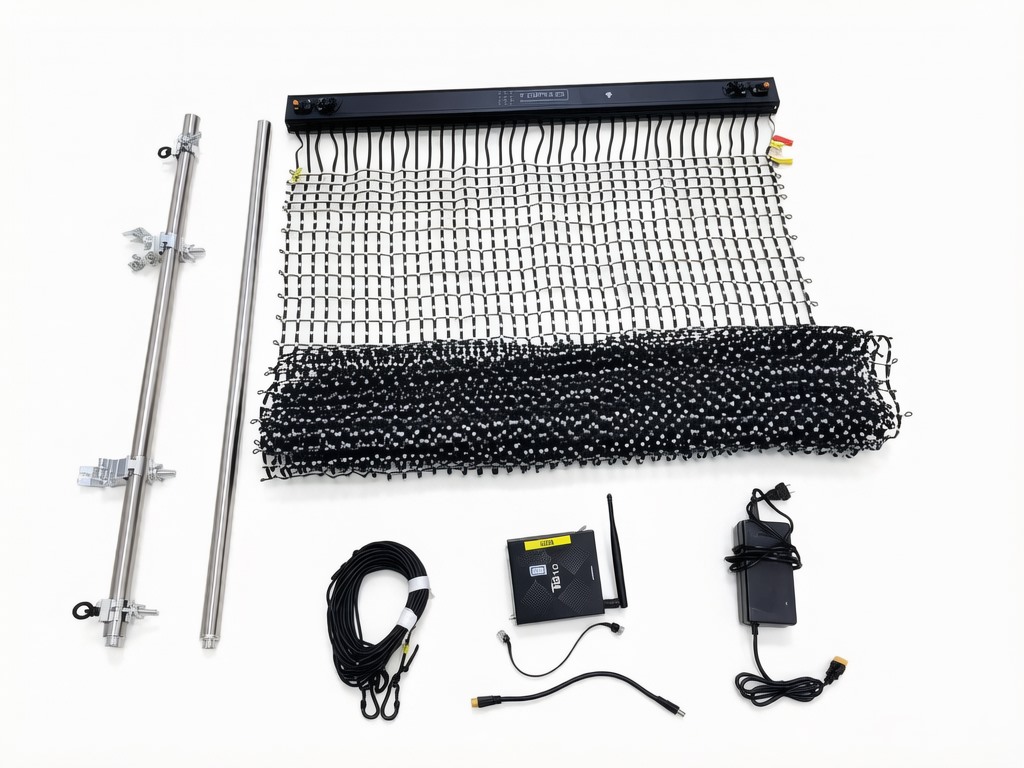
Royal AD Tek P25 flying LED screen kit with mesh display, integrated connection bar, support rods, cables and battery
Flying LED mesh screen kit with connection hardware, support rods, cables and power components.

Specifications

P25 drone LED screen technical specifications

Values below describe the P25 configuration. Confirm the final configuration and payload calculation before ordering.

P25 flying LED mesh screen specifications
Pixel pitch 25 mm
Pixel density 1,600 dots/m²
LED type SMD 3550 × 1
Grayscale 8-bit or 16-bit; both options use the same power consumption
Brightness Up to 2,800 cd/m² at 100% brightness; flight brightness must be configured for the selected system
Contrast ratio 1000:1
Transparency 40% (measured)
Operating temperature −20 °C to +45 °C (measured)
Wind test reference Highest wind speed recorded in the supplied test information: 6 m/s. Do not treat this test value as a flight-safety guarantee.
Power consumption Maximum 200 W/m²; average 120 W/m², measured at 100% brightness on 220V AC through a DC power supply
Screen body weight 0.75 kg/m²
Operating voltage 12V battery pack; screen voltage is converted to 5V through a DC-DC step-down module in the power/signal control box
Battery options Built-in 21700 12V 9Ah pack, or external 18650 12V 18Ah pack. BMS protected; UN38.3 certification stated in supplied product information.
Charging Built-in battery: 10A fast charger, approximately 2–3 hours. External 18Ah pack: approximately 4–5 hours.
Ingress protection IP65
Control NovaStar TB10 Plus / Wi-Fi app management
Drone clamps Swivel clamp options for 25–30 mm or 30–35 mm tube outer diameter. Static test value: 200 kg per clamp (internal test).
Included support items 40 spare LEDs per screen, replacement video and installation manual
Warranty 2 years for the screen. Batteries, controller and media player are excluded.

Swipe horizontally to view the full specifications table.

Bench power-consumption measurements at 100% brightness are not flight operating settings. Use the brightness and battery configuration approved for the selected screen size and flight plan.

Size and Runtime

P25 screen sizes, total system weight and runtime reference

The table summarizes the supplied size configurations. Total system weight includes the screen and listed system components; verify the project-specific payload with the drone manufacturer and qualified flight team.

P25 16-bit size and runtime reference
Screen size (W × H) Resolution Screen weight Lifting rope Brightness reference Built-in battery configuration External battery configuration
1 × 4 m 40 × 160 3 kg 5 m Project setting 7 kg total / about 60 min 8.25 kg total / about 80 min
2 × 5 m 80 × 200 7.5 kg 7 m Project setting 15 kg total / about 60 min 17.5 kg total / about 80 min
3 × 7 m 120 × 280 15.75 kg 9 m Project setting 26.6 kg total / about 60 min 30.5 kg total / about 80 min
4 × 8 m 160 × 320 24 kg 10 m About 33% 38.3 kg total / about 60 min 43.5 kg total / about 80 min
5 × 10 m 200 × 400 37.5 kg 12 m About 28% 55.26 kg total / about 60 min 61.75 kg total / about 80 min
5 × 12.5 m 200 × 500 46.8 kg 13 m Project setting 64.63 kg total / about 60 min 71.13 kg total / about 80 min

Swipe horizontally to view all size and runtime columns.

Runtime and weight figures are reference values from the supplied product information. Actual runtime varies with battery quantity and condition, brightness, displayed content, temperature and system configuration. Confirm rope length and full payload for each project.

Brightness and Battery Use

Configure brightness for the screen and flight plan

The 2,800 cd/m² figure is the P25 module’s maximum brightness specification. Flying operation uses a lower brightness setting selected for the screen size, power system and content. Large white areas generally require more power than darker content.

For the supplied reference configurations, a 4 × 8 m screen is listed at about 33% brightness and a 5 × 10 m screen at about 28%. Final settings should be confirmed during the project setup and ground checks.

Do not set the screen brightness to 100% for flight operation. Unauthorized changes to the recommended settings may damage the equipment. The operator is responsible for resulting loss or damage.

Drone Connection

Screen suspension and drone connection components

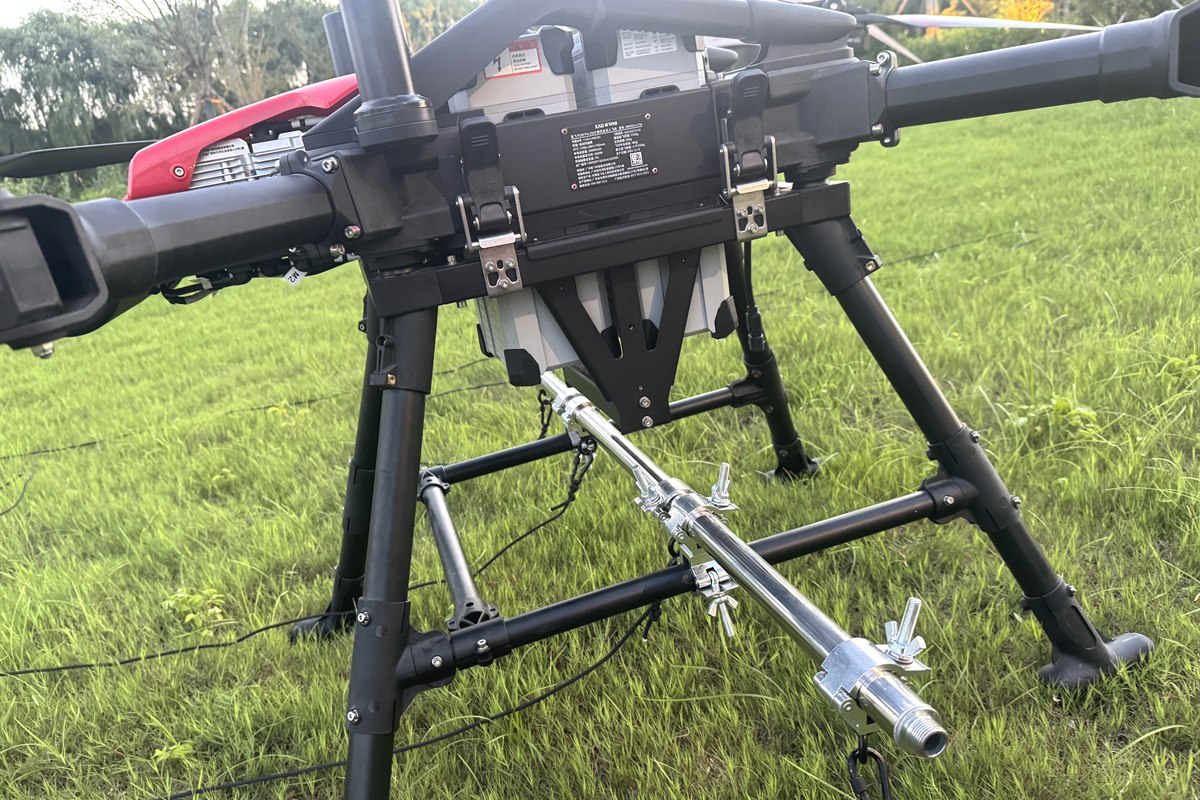
Connection rod, lifting ropes, swivel clamps and lower weight rods are selected for the screen size and drone structure.

Connection rod and ropes

Lifting ropes attach to the connection rod, which is secured to a compatible drone landing-gear tube using swivel clamps.

Swivel clamp options

Clamp options are listed for 25–30 mm or 30–35 mm tube outer diameter. Confirm the tube dimensions and mounting arrangement before ordering.

Lower weight rods

Weight rods run along the lower edge to support the screen layout. Quantity and arrangement depend on the screen width and kit configuration.

Drone compatibility, payload limits, flight permits, insurance and local operating rules must be confirmed by the drone manufacturer and the qualified flight team.

Installation Guide

P25 flying LED screen assembly and connection

Use the supplied manual and project rigging plan for installation. The diagrams below show the listed accessories, suspension hardware and player connections.

P25 Drone Flying LED Screen Mesh
Flying LED Screen Controller setup-Novastar TB10 Plus
P25 Drone Flying LED Screen Mesh
Quick.Black Data&Power Distribution Box Connection
P25 flying LED screen diagram showing media player mounting, power cable, Ethernet signal and lower support rods
Suspension hardware and enclosure connector details.


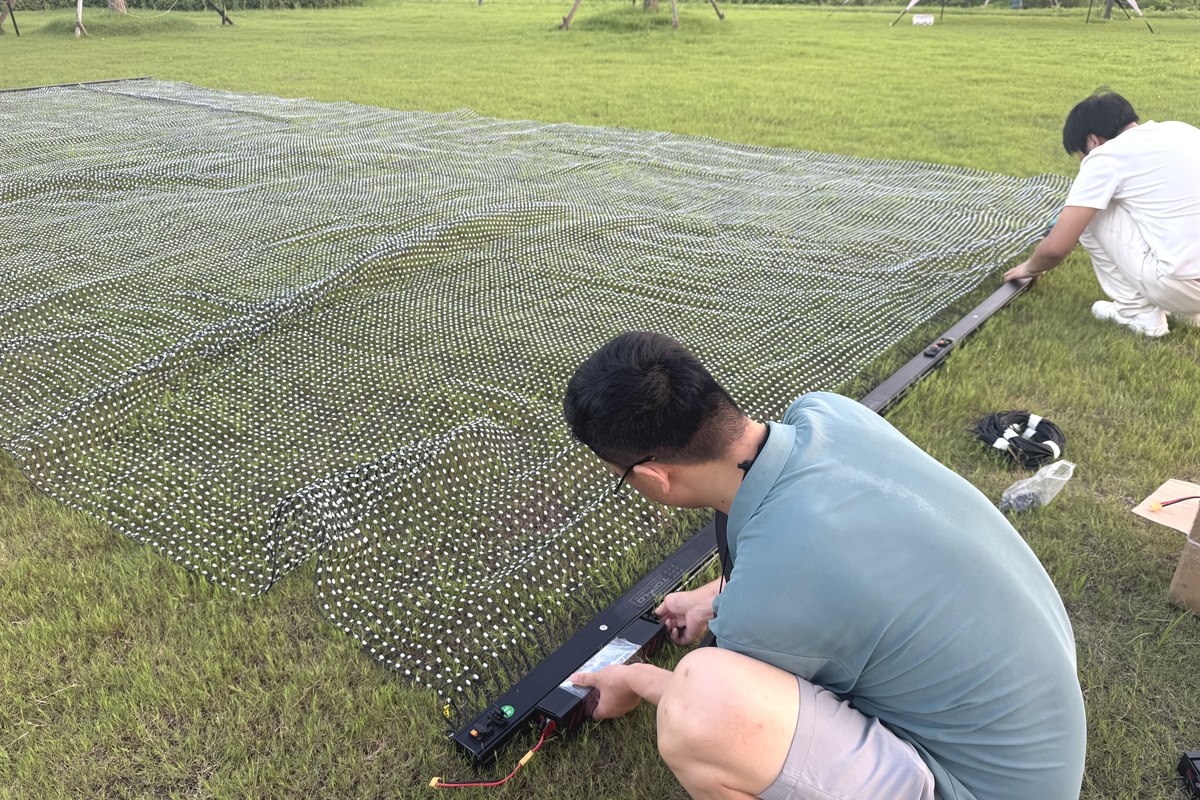
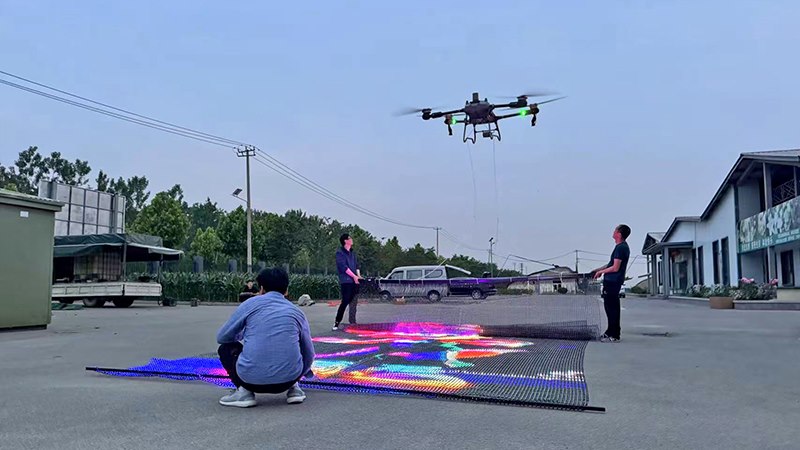
Royal AD Tek team preparing a P25 flying LED mesh screen on the ground before a drone lift demonstration
External Batteries Preparation before a controlled demonstration.

Accessory list in the supplied 4 × 8 m manual

Player × 1; player power cable × 1; Ethernet cables × 4; player mounting bracket × 1.

Straight connectors × 8; thumb screws × 2; positioning slider nuts × 2; cable ties as required.

Eyebolt screws × 3; lifting ropes × 3; double buckle kits × 2; buckle eyelet kits × 3; 1 m round rods × 5 as listed in the manual.

Accessory quantities may vary by screen dimensions and battery configuration. The supplied manual’s list and diagrams should be checked against the actual project kit before assembly.

1. Join the screen sections

Insert the straight connectors into the enclosure slots before joining the screen sections.

2. Install the lower rods

Position the rods along the lower edge and secure them as shown in the supplied instructions.

3. Mount the media player

Attach the mounting bracket to the positioning nuts, then secure the player to the bracket.

4. Connect power and signal

Connect the player power cable and LAN signal connections according to the manual and system configuration.

5. Attach suspension hardware

Install ropes and buckle kits at the specified fixing points and according to the approved rigging plan.

6. Test before operation

Check playback, power and signal on the ground. Use only the confirmed brightness setting.

Applications

Aerial LED display for events and brand campaigns

Use cases for a drone-mounted LED mesh screen include short-duration event displays and aerial visual campaigns, subject to local operating requirements.

  • Drone light shows
  • Aerial advertising
  • Concerts and festivals
  • Sports ceremonies
  • Brand launches
  • Outdoor event displays
  • Tourism and cultural events
  • Custom aerial campaigns

Projects and Testing

Flying LED mesh demonstrations and factory testing

These Royal AD Tek images show project scale, screen preparation and product inspection.

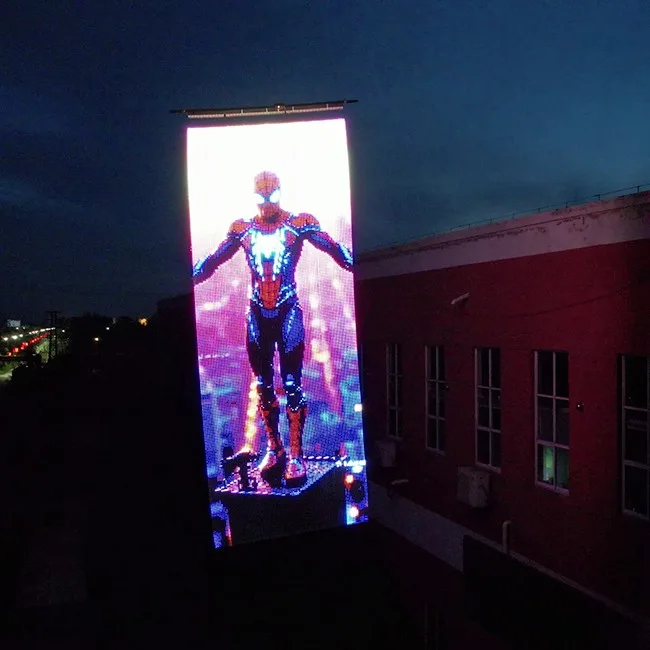
Large-format Royal AD Tek drone-suspended flying LED mesh screen project
Large-format custom flying LED mesh project.
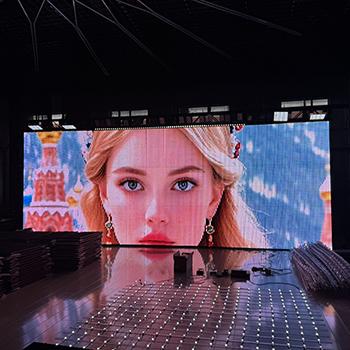
Royal AD Tek flying LED mesh screen undergoing factory quality inspection
Factory inspection before project delivery.
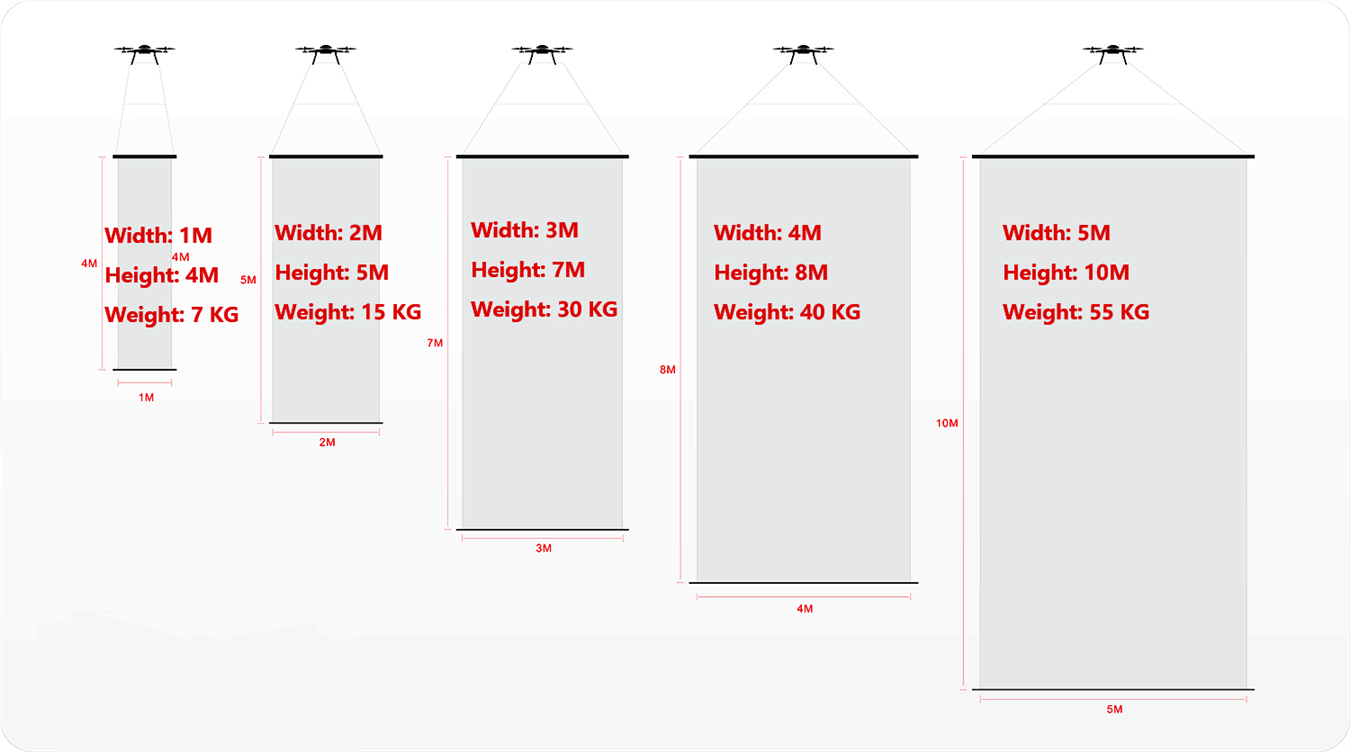
Flying LED screen size and weight guide showing example formats from 1 by 4 metres to 5 by 10 metres
Example screen formats. Confirm the final system weight against the project specification.
Royal AD Tek flying LED mesh screen prepared for a pre-flight lift demonstration
Pre-flight positioning demonstration.

Videos

Assembly, takeoff position and live performance

Watch the preparation and field demonstrations of Royal AD Tek’s flying LED mesh screen.

Flying LED screen assembly tutorial

Step-by-step preparation and assembly for the screen system.

Watch the assembly tutorial on Instagram

Correct drone takeoff position

Review the demonstrated screen and drone positioning before a controlled lift test.

Watch the takeoff-position video on Instagram

5 × 10 m performance in Jakarta

See a large-format flying LED screen in a live event setting.

Watch the Jakarta performance on Instagram

FAQ

P25 drone flying LED screen questions

What is a drone flying LED screen?

It is a lightweight, flexible LED mesh display designed to be suspended beneath a compatible heavy-lift drone for aerial events, advertising and performances.

Can I choose 8-bit or 16-bit grayscale for P25?

Yes. P25 is available in 8-bit or 16-bit grayscale. Both options have the same power consumption; 16-bit is recommended for smoother tonal transitions in video.

Does the upgraded kit connect every LED strip to a separate sub-controller?

No. The upgraded connection design removes the need to wire LED strips one by one to separate sub-controllers, helping simplify screen assembly.

How long can the P25 screen operate on one charge?

Runtime depends on the screen size, battery quantity, brightness, content and operating conditions. The supplied size table gives approximate reference runtimes for the listed configurations.

Can Royal AD Tek customize the screen size?

Yes. Share the required dimensions, viewing distance, planned runtime and drone payload so the screen and power setup can be reviewed for the project.

Does Royal AD Tek supply the drone?

Confirm drone supply and project scope with Royal AD Tek. Drone payload compatibility, flight permissions and operating arrangements must be confirmed with the drone manufacturer, qualified flight crew and relevant local authorities.

Plan a P25 flying LED screen project

Send your screen dimensions, preferred pixel pitch, target runtime and drone payload details to request a project-specific recommendation.

Request a Project Quote

Related Products

Flying LED Screen 5x15m

Flying LED Screen 5x15m

Drone Flying LED Screen 5x10M

Drone Flying LED Screen 5x10M

P25 Flying LED Screen 4x8M

P25 Flying LED Screen 4x8M

P1531 Outdoor LED Mesh Panel

P1531 Outdoor LED Mesh Panel

Product Categories

  • LED Mesh Screen
  • Transparent LED Screen
  • Drone Flying LED Screen

Links

Google.comFushilongNovastarBaidu.com

Feedback

Contact Us

8615150798219

15150798219

info@royaladtek.com

peterwu1987

Beidou Electronic Information Industrial Park, Suqian High-tech Industrial Development Zone, Suqian City, Jiangsu Province, China

MOBILE WEBSITE

© 2026 All Rights Reserved.

  • 15150798219
  • info@royaladtek.com
  • 8615150798219 Scan to chat on WhatsApp
  • WeChat QR Code Scan to chat on WeChat
  • Inquiry
  • Back to Top

Online Inquiry

Get a quote within 12 hours

Tell us what you need — we'll reply as soon as possible.

WhatsApp
Phone
E-mail
Inquiry